

Refurbished Monitor
Buy a refurbished monitor? At ReMarkt you will find affordable, carefully checked displays for working from home, studying and the office. Easily choose by screen size, resolution and connections such as HDMI, DisplayPort or VGA, so you quickly find a second-hand monitor that suits your workstation and budget. You get at least one year’s warranty, can extend it to three years and have a 30-day right of return.
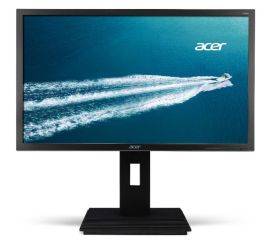
Acer B246HL - 24 inch
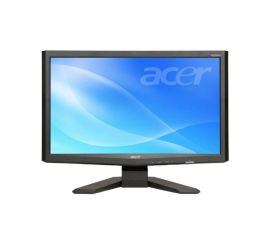
Acer X243HQ - 24 inch
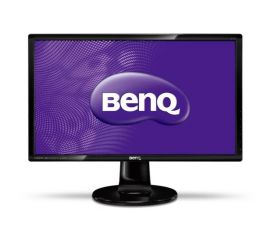
BenQ GL2760-T - 27 inch
BenQ GL2760-T - 27 inch
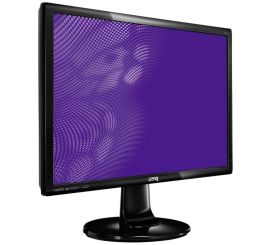
BenQ GL2760H - 27 inch
BenQ GL2760H - 27 inch
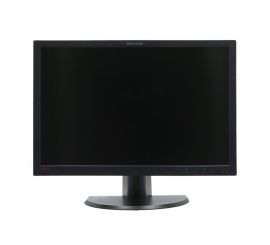
Lenovo ThinkVision L2440pwc - 24 inch
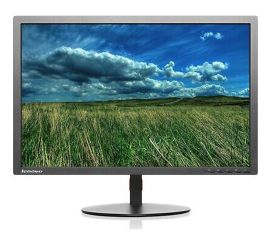
Lenovo ThinkVision T2324pA - 23 inch
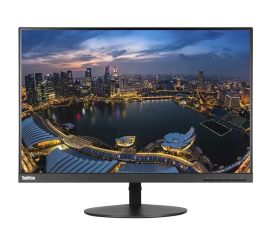
Lenovo ThinkVision T24d-10 - 24 inch
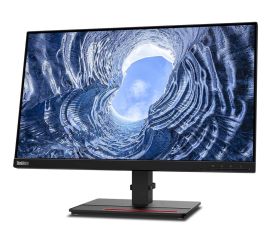
Lenovo ThinkVision T24i-2L - 24 inch
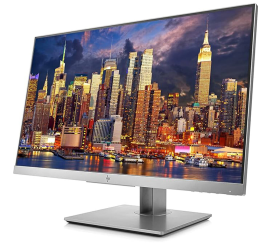
HP EliteDisplay E24 G4 - 24 inch
Buying a refurbished monitor: affordable and reliable
A refurbished monitor is a carefully checked second-hand display that has been prepared for use again. At ReMarkt you will find monitors for working from home, studying, the office and everyday computer use. This way you buy a reliable screen at a competitive price and give existing equipment a longer life.
Use the filters to quickly select by brand, screen size, resolution, connection, condition and price. The range changes regularly and includes monitors from HP, Dell, Lenovo, Samsung, Philips, Fujitsu, iiyama and AOC.
Why choose a refurbished monitor?
With a refurbished monitor you save compared with a comparable new display. At the same time, you prevent perfectly good equipment from being thrown away unnecessarily.
Every monitor is checked, cleaned and repaired where necessary. This includes assessing how the screen and the ports work. The condition of the product shows which cosmetic signs of use you can expect, so you know exactly what you are buying in advance.
Which monitor size suits you?
A A 24-inch monitor is a practical all-round choice for many workstations. The screen offers enough space for email, documents, browsing and video calls, without taking up much room on your desk.
Do you want to use several windows side by side or have more workspace? Then a 27-inch monitor may be more pleasant. Always check the dimensions of your desk and your preferred viewing distance before choosing a size.
What resolution do you need?
Full HD, or 1920 × 1080 pixels, is suitable for most everyday tasks and for entertainment. A resolution of 1920 × 1200 offers a little more vertical space, which can be handy for documents and spreadsheets. For graphic work, lots of multitasking or an extra-sharp image, you can look at a monitor with 2560 × 1440 pixels or higher.
The best choice depends on the screen size, what you use it for and the capabilities of your computer.
Which connection should you choose?
Before ordering, check which video connection your desktop, laptop or docking station has. Many monitors work with HDMI or DisplayPort. Older devices may use DVI or VGA.
Do your computer and monitor have different connections? Then you may need a suitable adapter or cable. Also check the number of ports if you want to use several devices with the same monitor.
What else should you look for when buying a monitor?
As well as size and resolution, also look at:
- a height-adjustable stand for a comfortable working posture;
- the video connections available;
- the condition and any signs of use;
- the aspect ratio you want;
- refresh rate and response time for gaming;
- the stand, cables and accessories supplied.
Want to choose faster? Then use the monitor choice guide to filter the range by your preferences.
Why buy a second-hand monitor from ReMarkt?
At ReMarkt you buy a used monitor that has been professionally checked and is clearly described. You benefit from at least one year’s warranty, with the option of extending it to three years. You also have a 30-day right of return.
Browse the current range, compare the available displays and choose the refurbished monitor that suits your workstation, equipment and budget.