
Lenovo laptop won't start.

My Lenovo laptop won't start after updating
It's common for a Lenovo laptop to stop starting after a software update. This can be due to incompatible drivers, a failed update, or problems with the BIOS settings. It's important to know what steps you can take to diagnose and solve these problems.

Common problems
There are several common problems that can prevent your Lenovo laptop from starting:
- Power problem: Check if the laptop is receiving sufficient power and if the charger is working correctly.
- Black screen: This may indicate a problem with the screen or graphics card.
- BIOS settings: Incorrect BIOS settings can disrupt the boot process.
- Hard drive: A faulty hard drive can prevent the laptop from starting.
- Virus or Malware: Malicious software can disrupt the startup process.
- Hardware problem: Faulty hardware components may be the cause.

Possible solutions
Here are some steps you can take to get your Lenovo laptop working again:
- Check the power supply: Make sure the charger is working correctly and the battery is sufficiently charged.
- Reset the BIOS settings: Try resetting the BIOS settings to factory settings.
- Safe mode: Start the laptop in safe mode to see if the problem is software-related.
- Check the screen: Connect the laptop to an external monitor to check if the screen is faulty.
- Check for viruses: Run an antivirus scan to see if malware is causing the problem.
- Test the hard drive: Use diagnostic tools to check the hard drive for errors.
- Contact a specialist: If you can't solve the problem yourself, contact a specialist or Lenovo customer service.


Do you need to buy a new laptop?
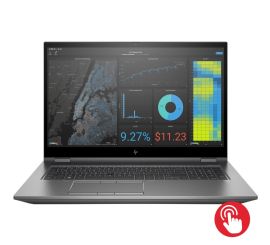
Condition: Click for more information.
HP ZBook Fury 17 G7
Intel Core i5-10th Generation - 17 inch - Touch - 8GB RAM - 256GB SSD - Win 11 Home
Old Price €936.25 €749.00 €619.01

Condition: Click for more information.
Acer TravelMate P214-54
Intel Core i5-12th Generation - 14 inch - 16GB RAM - 256GB SSD - Win 11 Home
Old Price €556.25 €445.00 €367.77
Condition: Click for more information.
Acer TravelMate P214-54
Intel Core i3-12th Generation - 14 inch - 16GB RAM - 256GB SSD - Win 11 Home
Old Price €286.25 €229.00 €189.26
Condition: Click for more information.
Acer TravelMate P214-54
Intel Core i3-12th Generation - 14 inch - 16GB RAM - 256GB SSD - Win 11 Home
Old Price €381.25 €305.00 €252.07
Condition: Click for more information.
Acer TravelMate P214-54
Intel Core i3-12th Generation - 14 inch - 16GB RAM - 256GB SSD - Win 11 Home
Old Price €473.75 €379.00 €313.22

Condition: Click for more information.
Dell Latitude 5340
Intel Core i7-13th Generation - 13 inch - 16GB RAM - 256GB SSD - Win 11 Home
Old Price €748.75 €599.00 €495.04