
Which iPad do I have?

How to identify your iPad model?
You can easily find out which iPad model you have by checking your device's settings or physical characteristics:
- Via the settings:
- Open the Settings app on your iPad.
- Go to General > About.
- Look at Model Name and Model Number.
- On the back of the iPad: Check the small printed model number starting with 'A' (e.g., A1893).
- Via Appleâs website: Enter your model number on the official Apple support page to see specific details.
Refurbished iPads

Where to find the serial number?
The serial number of your iPad can be found in several ways:
- In the app Settings > General > About.
- On the back of the iPad, in small print under the Apple logo.
- On the original packaging of your iPad.
- Via your Apple ID account on the Apple website under Devices.
With the serial number you can check warranty and service options on the Apple Serial Number Check.
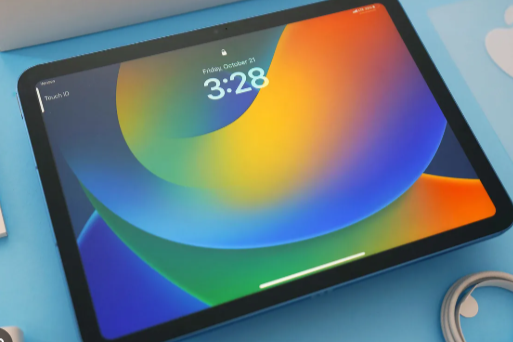
What features does your iPad have?
The features of your iPad depend on the specific model and year of manufacture. Some important features to look out for are:
- Screen size: For example, 10.2 inches (standard iPad), 11 inches (iPad Pro) or 12.9 inches (iPad Pro).
- Processor: Newer iPads have more powerful chips, such as the M1 or M2 chip in iPad Pro models.
- Cameras: iPad Pro models have more advanced cameras and LiDAR scanners.
- Apple Pencil support: Check if your iPad is compatible with Apple Pencil (1st or 2nd generation).
- Touch ID or Face ID: Older models use Touch ID, while newer models support Face ID.
By checking the model number and serial number, you can see exactly what features your iPad offers and which accessories are compatible.
iPad Advice


Buy an iPad
Condition: Tvarkinga būklė
Apple iPad 8 (2020) - 10.2 inch - 2 Year Warranty
10.2 inch - 8_zilver
Old Price €286.25 €229.00 €229.00

Condition: Matomas naudotas
Apple iPad Pro 6 (2022) - 12.9 inch - 2 Year Warranty
12.9 inch - pro_6_spacegrijs
Old Price €1,098.75 €879.00 €879.00

Condition: Tvarkinga būklė
Apple iPad Pro 5 (2021) - 12.9 inch - 2 Year Warranty
12.9 inch - pro_5_zilver
Old Price €1,168.75 €935.00 €935.00
_spacegrijs_1.jpg)
Condition: Tvarkinga būklė
Apple iPad Pro 4 (2022) - 11 inch - 2 Year Warranty
11 inch - pro_4_(2022)_spacegrijs
Old Price €1,086.25 €869.00 €869.00
Condition: Tvarkinga būklė
Apple iPad Pro 4 (2022) - 11 inch - 2 Year Warranty
11 inch - pro_4_(2022)_spacegrijs
Old Price €886.25 €709.00 €709.00
_zilver_1.jpg)
Condition: Tvarkinga būklė
Apple iPad Pro 4 (2022) - 11 inch - 2 Year Warranty
11 inch - pro_4_(2022)_zilver
Old Price €1,086.25 €869.00 €869.00