
Turn on Find My iPhone.

How to activate Find My iPhone?
To enable Find My iPhone and protect your device from loss or theft, follow these steps:
- Open the Settings app on your iPhone.
- Tap your name at the top and select iCloud.
- Click on Find My iPhone.
- Enable the switch next to Find My iPhone and Find My network (for offline tracking).
- Enter your Apple ID password to confirm.
Your iPhone is now linked to your Apple ID and can be tracked via the Find My app on other devices or via iCloud.com.
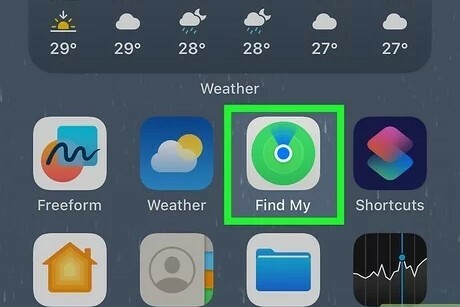
Why use Find My iPhone?
The Find My iPhone feature offers several advantages:
- Locate devices: Find your iPhone on a map if you lose it.
- Protection against theft: Remotely block your device so others cannot use it.
- Offline tracking: Use Find My network to find your iPhone even without an internet connection.
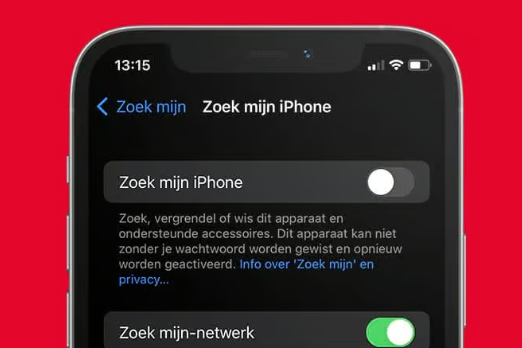
What if Find My iPhone doesn't work?
If the function doesn't work, check the following:
- Internet connection: Make sure your iPhone is connected to a network.
- Location services: Go to Settings > Privacy > Location Services and make sure it is enabled.
- iOS version: Update your iPhone to the latest iOS version.
Conclusion: Activating Find My iPhone is simple and provides essential security for your device. Make sure the function is always enabled for extra protection in case of loss or theft.
iPhone Advice


Buy iPhone

Condition: Matomas naudotas
Apple iPhone 16 Pro Max - 512GB - 2 Year Warranty
16_desert_titanium
Old Price €1,431.25 €1,145.00 €1,145.00
Condition: Tvarkinga būklė
Apple iPhone 16 Pro Max - 512GB - 2 Year Warranty
16_desert_titanium
Old Price €1,473.75 €1,179.00 No VAT
Condition: Tvarkinga būklė
Apple iPhone 16 Pro Max - 256GB - 2 Year Warranty
16_desert_titanium
Old Price €1,298.75 €1,039.00 €1,039.00

Condition: Tvarkinga būklė
Apple iPhone 16 Pro Max - 256GB - 2 Year Warranty
16_naturel_titanium
Old Price €1,298.75 €1,039.00 €1,039.00

Condition: Matomas naudotas
Apple iPhone 16 Pro Max - 512GB - 2 Year Warranty
16_zwart_titanium
Old Price €1,481.25 €1,185.00 €1,185.00
Condition: Tvarkinga būklė
Apple iPhone 16 Pro Max - 256GB - 2 Year Warranty
16_zwart_titanium
Old Price €1,231.25 €985.00 €985.00