
How do you copy something on a MacBook?

Which keyboard shortcut do you use to copy on a MacBook?
On a MacBook, you use keyboard shortcuts to easily copy text, files, or other items. The standard shortcuts are:
- Command (â) + C: Copies selected text, files, or folders.
- Command (â) + V: Pastes the copied item to the desired location.
- Command (â) + X: Cuts selected text or files (only works in some apps).
To select something, click and drag your mouse over the text or files before using the shortcuts.
Buy a Refurbished MacBook?
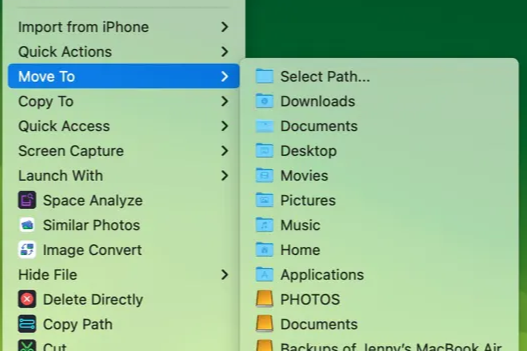
How do you copy files on macOS?
Copying files on a MacBook is easy via Finder:
- Open Finder and find the file or folder you want to copy.
- Right-click (or hold down Control and click) on the file.
- Select Copy [Filename].
- Navigate to the desired location and right-click.
- Select Paste item to copy the file.
You can also use Command (â) + C to copy files and Command (â) + Option (â¥) + V to paste them to a new location without keeping the original.
What are the options for copying and pasting?
In addition to the basic functionalities, macOS offers extra options for copying and pasting:
- Copy to external drive: Drag files to a connected external hard drive.
- Copy multiple items: Hold down Command (â) while selecting multiple files, and then use Command (â) + C to copy them all.
- Universal Clipboard: Copy something on your MacBook and paste it on another Apple device (such as an iPhone or iPad) that is linked with the same Apple ID.
With these features, you can easily manage files and text on your MacBook, both locally and between devices within the Apple ecosystem.
MacBook Advice


Refurbished MacBook
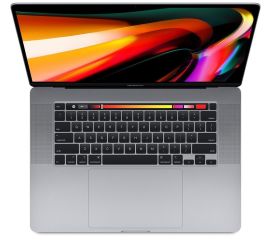
Condition: Matomi pažeidimai
Apple MacBook Pro (15 inch, 2018) - 2-Year Warranty
Intel Core i7 - 15 inch - 16GB RAM - 256GB SSD - - Spacegrijs
Old Price €593.75 €475.00 €392.56
ReMarkt's Choice
Condition: Matomas naudotas
Apple MacBook Pro (15 inch, 2018) - 2-Year Warranty
Intel Core i7 - 15 inch - 16GB RAM - 256GB SSD - - Spacegrijs
Old Price €686.25 €549.00 €453.72
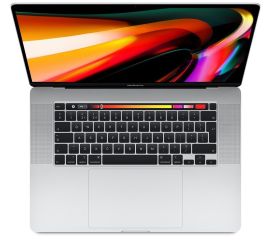
Condition: Matomas naudotas
Apple MacBook Pro (15 inch, 2018) - 2-Year Warranty
Intel Core i7 - 15 inch - 16GB RAM - 256GB SSD - - Zilver
Old Price €686.25 €549.00 €453.72

Condition: Matomi pažeidimai
Apple MacBook Pro (15 inch, 2017) - 2-Year Warranty
Intel Core i7 - 15 inch - 16GB RAM - 512GB SSD - - Spacegrijs
Old Price €568.75 €455.00 €376.03
ReMarkt's Choice
Condition: Matomas naudotas
Apple MacBook Pro (15 inch, 2017) - 2-Year Warranty
Intel Core i7 - 15 inch - 16GB RAM - 512GB SSD - - Spacegrijs
Old Price €643.75 €515.00 €425.62
ReMarkt's Choice
Condition: Matomi pažeidimai
Apple MacBook Pro (15 inch, 2017) - 2-Year Warranty
Intel Core i7 - 15 inch - 16GB RAM - 256GB SSD - - Spacegrijs
Old Price €523.75 €419.00 €419.00